
Last checked: 9 October 2026, against Wafid’s official result page and FAQ.
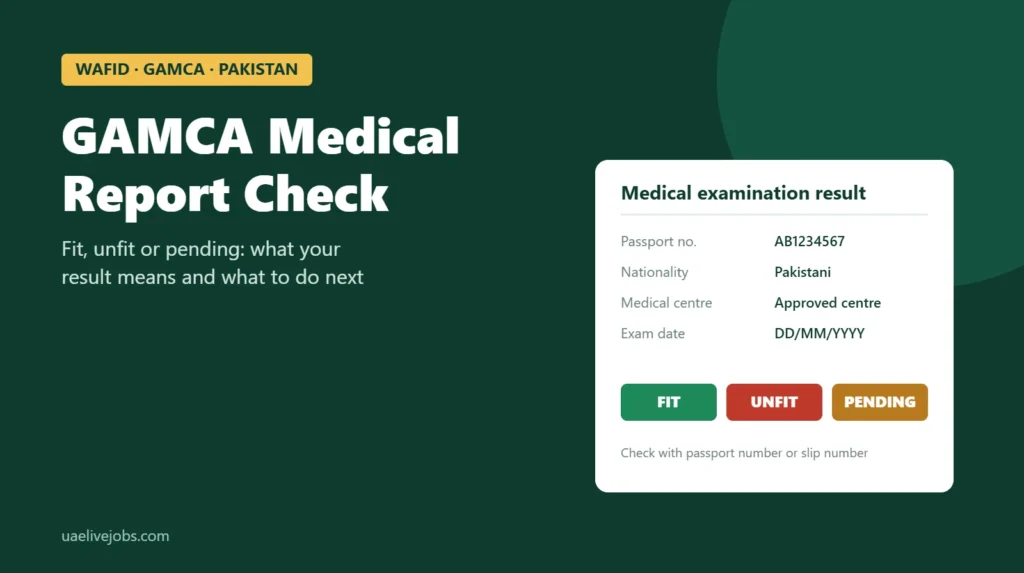
To check your GAMCA medical report, open the Medical Examination Result page on wafid.com, enter your passport number, select Pakistani as your nationality and press Check. You can also search with your slip number. The page shows whether you are fit, unfit or still waiting for the result.
GAMCA is the old name people still use. Booking and report checks for the Gulf pre-travel medical now run through Wafid, a programme of the Gulf Health Council. This guide explains how to check the report, what each result means, why it sometimes says “no record found”, and what to do if the result is unfit.
If you have not taken the medical yet, start with our Wafid (GAMCA) medical guide for Pakistan, which covers booking, fees and centres.
GAMCA medical report check at a glance
| Question | Answer |
|---|---|
| Official website | wafid.com, page “Medical Examination Result” |
| What you need | Passport number and nationality, or your slip number |
| Cost | Free |
| When the result appears | Wafid says within 26 days of the exam |
| Possible results | Fit, unfit, or not yet available |
| Wrong details on the report | The medical centre corrects them, free of charge |
| Booking a new exam | Possible 2 months after the date of an existing report |
How to check your GAMCA medical report online
Check by passport number
- Go to wafid.com/en/medical-status-search/. You can switch the page to Urdu from the language menu.
- Type your passport number in Passport NO exactly as it appears in your passport, with no spaces.
- Choose Pakistani in the Nationality list.
- Press Check. Your result appears below the form.
Use the passport you gave when you booked. If you renewed your passport after booking, search with the old number first.
Check by slip number
The same form has fields for a Wafid slip number and a GCC slip number. Your Wafid slip number is printed on the appointment slip you downloaded after paying. Enter it, choose your nationality and press Check. If you lost the slip, reprint it from Appointment Slips using your passport number.
Ignore old and look-alike websites
Older guides send people to gamca or gcchmc websites. Those were used before the Gulf Health Council moved the system to Wafid. Many sites with “gamca” or “wafid” in the name now show their own check forms, ask for your phone number, or charge for a “report check”. The official check on wafid.com is free and needs only your passport or slip number.
What your GAMCA medical status means
| What you see | What it means | What to do |
|---|---|---|
| Fit | No condition on the Gulf Health Council’s unfit list was found | Save the PDF or printout and send it to your employer or agency |
| Unfit | One or more checks found a condition on the unfit list | Ask the centre which test caused it (see below) |
| Pending, in progress or no result yet | The centre has not finished or uploaded your result | Check again in a few days. Wafid allows up to 26 days |
| No record found | The search details do not match a record | See the checklist in the next section |
| Expired | The report is past its validity date | Book a new medical if your visa still needs one |
The exact wording on the page can change. If you are unsure what your status means, call the medical centre named on your slip and ask them to read it to you.
“No record found”: how to fix it
- Check the passport number. Pakistani passport numbers start with two letters followed by seven digits. A zero typed as the letter O is the most common mistake.
- Check the nationality. Choose “Pakistani”, not the country you are travelling to.
- Try the slip number instead of the passport number.
- Wait. The record may not be uploaded yet, especially in the first days after the exam.
- Check that you actually took the exam. A slip that expired without an exam does not create a report.
- Call the medical centre. If a few days have passed, they can confirm whether your result was submitted and under which passport number.
How to download or print your report
When the result appears, use the download or print option shown with it. Save a PDF on your phone and keep a printed copy. Before you send it to anyone, check four things: your name, passport number, profession and the date. Your employer and the Protector of Emigrants office will compare them with your passport and visa.
How long the report stays valid
Wafid calculates the report’s expiry from the date the record was last modified, not the date of your exam. Several guides put the validity at 2 months (60 days), which fits Wafid’s rule that you can book a new exam 2 months after an existing report. Always go by the expiry date on your own report.
Visa processing can take weeks. Take the medical when your employer is ready to apply for your visa, so the report does not expire while you wait.
Unfit in GAMCA medical: what it means
Wafid publishes the conditions that make a candidate unfit. They fall into two groups.
| Infectious conditions | Non-infectious conditions |
|---|---|
| HIV/AIDS | Kidney (renal) failure |
| Hepatitis B (surface antigen positive) | Liver failure |
| Hepatitis C (antibody positive) | Heart failure |
| Malaria and microfilaria | Uncontrolled high blood pressure |
| Leprosy | Uncontrolled diabetes |
| Abnormal chest X-ray, including active or past tuberculosis | Cancers |
| Psychiatric and neurological disorders | |
| Very low haemoglobin | |
| A disability that stops you doing the job |
Some of these depend on control. High blood pressure and diabetes are listed only when they are uncontrolled, and low haemoglobin can often be treated. The infectious conditions on the list have no “controlled” exception, so a positive result for HIV or hepatitis B or C generally rules out a GCC work visa.
Source: Wafid FAQ, “unfit status”.
What to do if your GAMCA medical report is unfit
- Find out the reason. Ask the medical centre which test led to the result and ask for a copy of your report. The online page usually shows only the status.
- See your own doctor. Take the report to a doctor in Pakistan. A single result can need confirmation, and some conditions can be treated or brought under control.
- If you think there was an error, ask the centre in writing whether a re-examination request can be made. Wafid’s public FAQ does not describe an appeal process, so each case is handled through the centre.
- Ask about the waiting time. Wafid’s FAQ does not publish a waiting period after an unfit result. Some guides mention waits of several months before a new exam. Confirm the date with the centre before you book again.
- Tell your employer or agency honestly. They will know whether the job offer can wait.
Never pay anyone who offers to change an unfit result or arrange a “fit” report. It is fraud, the report is linked to your passport in the Wafid system, and you will be tested again in the UAE. Our guide to common UAE job scams lists other tricks to watch for.
Wrong name or passport number on your report
If your name, passport number, date of birth, profession or visa details are wrong, go back to the medical centre and ask them to submit a change request. Wafid calls these “change candidate details” and “change medical exam request”. Ask for the request number and the date it was submitted. Wafid states the correction is free, so do not pay for it.
Your report says fit: next steps for a UAE job
- Send the report to your employer or agency so they can continue the visa application.
- Prepare your other documents, such as a police clearance certificate and attested certificates, if your employer asks for them.
- Register with the Protector of Emigrants. If you found the job yourself, the Bureau of Emigration & Overseas Employment lists a medical fitness report from an approved centre among the documents. See the BE&OE emigrant protection page.
- Take the UAE medical after you arrive. A fit Wafid report does not replace the UAE medical fitness test, which every new resident must pass before the residence visa and Emirates ID are issued.
Checking GAMCA medical status by passport number
How can I check my GAMCA medical status by passport number?
Open the Medical Examination Result page on wafid.com, enter your passport number, choose Pakistani as your nationality and press Check.
How many days does it take for the GAMCA medical report to come online?
Wafid says results appear within 26 days of the exam. Many people see theirs sooner, but the timing depends on the centre.
Is the GAMCA medical report check free?
Yes. The check on wafid.com costs nothing. Do not pay a website or agent to check it for you.
Can I go to the Gulf if my GAMCA report is unfit?
Not on that report. Your employer cannot use an unfit report for the visa. Depending on the reason, you may be able to take a new exam later.
What is the GCC medical report?
It is the same report. “GCC medical”, “GAMCA medical” and “Wafid medical” all refer to the pre-travel medical for jobs in Gulf countries.
Where this information comes from
This guide was written by the UAE Live Jobs editorial team and checked on 9 October 2026 against Wafid’s result page and FAQ, and the Bureau of Emigration & Overseas Employment. The validity and waiting-time notes that do not come from Wafid are marked as such. This is general information, not medical or legal advice. Confirm anything that affects your visa with the medical centre and your employer.